
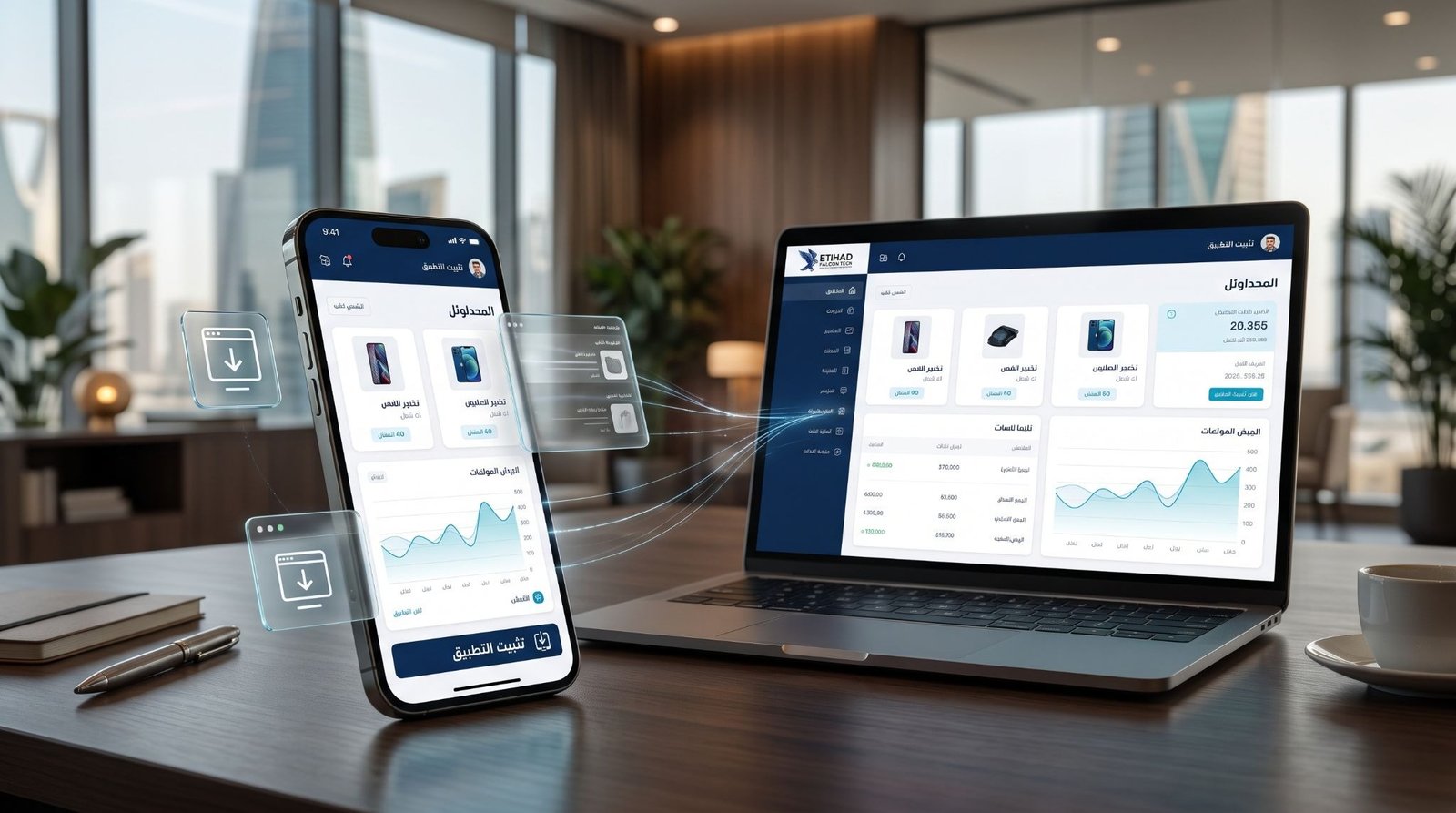
According to DataReportal, a global digital statistics report series, Saudi Arabia had 34.4 million internet users in October 2025. That’s close to the entire population, so the website or app your business offers has to work well on a phone to reach those customers.
A progressive web app (PWA) is a website built to work like an app. Customers open it in a browser like any other website, then add it to their phone’s home screen, where it gets its own icon, opens full screen, loads fast and sends notifications. For a business owner, that means one product that Google can find, like a website, and that customers can return to with one tap, like an app. You don’t need to build separate mobile apps for iPhone and Android.
Owners usually ask the same questions. Does it work on iPhone? Can it go on the App Store and Google Play? How is it different from a native app (an app built separately for each phone type and sold through the stores)? The answers depend on how the PWA is built: the install steps on iPhone, Arabic and right-to-left screens, payments through mada, Apple Pay, Tabby and Tamara, PDPL rules for customer data, and links to your ERP and shipping partners. Each one needs professional web development, so the app works for your customers from day one instead of needing fixes after launch.
This guide covers how a PWA compares with a native app, how it behaves on iPhone and Android, how the app stores treat it, what it costs, which industries gain most, and how Etihad Falcon Tech builds one.
What Is a Progressive Web App?
A progressive web app (PWA) is a website built to behave like an app. Customers open it in a browser like any other site. Then they can install it on the phone’s home screen, where it gets its own icon, opens full screen and sends notifications. No app store is needed. Same web address, same code.
If you already have a website, or you’re about to build one, and you want app features without paying for separate iPhone and Android apps, this is the format made for you. It exists because websites were easy to reach but easy to forget, while apps were easy to return to but slow and expensive to build and distribute. A progressive web application keeps the reach of the first and adds the return habit of the second. For your business, that means one product to build, one to update and one to promote.
How Does PWA Technology Work?
Take any website and add three things, and it becomes a PWA.
- A web app manifest. A small file that tells the phone the app’s name, icon and colors. It’s what makes the home screen install possible.
- A service worker. A script that runs in the background and stores copies of your pages and data on the phone. It’s why a PWA loads fast on repeat visits, keeps working on a weak connection and receives push notifications (the short messages that appear on a phone’s lock screen).
- HTTPS. A secure connection between the phone and your server. Service workers refuse to run without it, so it’s required.
You don’t need to read the code. You do need to know that the service worker decides what your customer sees without a connection, and that’s a business decision. A price list can be stored on the phone. A live stock count shouldn’t be.
What Does a PWA Give Your Customer?
Each technical part turns into something a customer can see and feel.
| What the PWA does | What your customer notices |
| Installs on the home screen | An icon on the phone, no store visit |
| Stores pages offline | Saved pages open without a connection |
| Sends push notifications | Order and booking updates on the lock screen |
| Keeps files on the phone | Faster loading on repeat visits |
| Runs from one web address | A link that works in WhatsApp, search and ads |
Why Should Saudi Businesses Invest in Progressive Web App Development?
Progressive web app development gives your business one product that reaches every phone, search engine and browser. Your customers use Android phones and iPhones, and they find you through Google, WhatsApp links and ads. A single PWA meets them in all of those places.
Here’s what a PWA handles for your business:
- One build serving Android, iPhone and desktop, not a separate app for each
- Updates reaching every customer the moment you publish them, not after store review and a manual download
- Pages that Google can read and rank, not content locked inside an app store listing
- Customers coming back through a home screen icon and notifications, not hoping they remember your web address
A PWA doesn’t fit every business, and the next section shows where a native app still wins.
PWA vs Native App: Which One Does Your Business Need?
A native app is built separately for each phone type, with Apple’s tools for iPhone and Google’s tools for Android, then sold through the App Store and Google Play. A PWA is built once with web technology and runs anywhere a modern browser does. That makes a PWA cross platform by design: one codebase serving Android, iPhone, Windows and Mac.
The right pick depends on what your customers need to do on their phones.
| Your priority | Better fit |
| One budget for iPhone, Android and desktop | PWA |
| Ranking on Google with the same pages | PWA |
| Fast launch and frequent updates | PWA |
| A listing inside App Store and Google Play search | Native app |
| Bluetooth, background location, advanced camera tools | Native app |
| Games and heavy 3D graphics | Native app |
If your list splits between both columns, there’s a third path.
Where Does a Hybrid App Fit?
A PWA hybrid app takes your web code and places it inside a native shell, using tools like Capacitor. The shell can reach more phone features and can go on the App Store and Google Play. Businesses that launch quickly with a PWA, then need store presence or deeper device access later, choose this route. Because the web code gets reused, the move costs less than starting a native app from zero. Our [mobile app development] team handles that step when it’s time.
Does a PWA Work on iPhone and Android?
Yes on both, and no, they don’t behave the same way. Android treats a PWA as a first-class app. iPhone allows it, with extra steps for your customer.
How Do Customers Install a PWA on Android?
On Android, Chrome offers an install prompt once the PWA meets the requirements, so the customer taps once and the icon lands on the home screen. That’s what an installable PWA means in practice. Android also gives a PWA more access to phone features, and push notifications work even before installation. You can place your own install button at the right moment, such as right after a customer’s first order.
How Does a PWA Work on iPhone?
PWAs have worked on iPhone and iPad since iOS 11.3 in 2018. Installation is manual: the customer taps Share, then Add to Home Screen. There’s no automatic install prompt, so your PWA needs a short, clear instruction on screen. Since iOS 26, every site added to the Home Screen opens as a web app by default, which removes one friction point. If many of your customers use iPhone, plan the install step early.
Do PWA Push Notifications Work on iPhone?
Yes, since iOS 16.4 in March 2023, with one condition: the customer must add your PWA to the Home Screen and allow notifications from inside it. A site open in a regular Safari tab can’t send them. Android doesn’t have that limit. iPhone also requires the permission request to follow a tap, so it has to sit behind a button, not pop up on arrival.
Notifications carry order updates, booking reminders and offers. The install step decides how many customers receive them, so the install guidance matters as much as the notification itself.
Can You Put a PWA on Google Play and the App Store?
Google Play accepts PWAs. The App Store doesn’t, not directly. Store presence matters if your customers search the store before they search Google.
| Store | How a PWA gets in |
| Google Play | Packaged as a Trusted Web Activity |
| App Store | Placed inside a native wrapper with real native features |
How Do You Publish a PWA on Google Play?
A Trusted Web Activity (TWA) is a small Android app that opens your PWA full screen using the customer’s own browser, usually Chrome. Tools like Bubblewrap and PWABuilder create the package, and it goes through Google Play’s normal review. Because your PWA runs underneath, most website updates reach customers without a new store release. If you need a Google Play listing without building a separate Android app, this is the route.
How Do You Convert a PWA to a Native App for the App Store?
Apple only accepts native iOS apps, so the PWA goes inside a native wrapper built with tools like Capacitor. Then it faces Guideline 4.2, Minimum Functionality, Apple’s rule against apps that are only a repackaged website. The wrapped app needs features that justify its place in the store, such as deeper device integration. Businesses with a clear reason to be on the App Store, such as customers who expect to find them there, should take this route. Everyone else can stay with the PWA and the iPhone Home Screen.
Can You Convert an Existing Website to a PWA?
Yes, in most cases. Converting a website to a PWA means adding the manifest, service worker and HTTPS, and making sure the site is built for phones first. If your website has traffic and content you want to keep, conversion keeps your pages and links and adds the app features on top.
It starts with an audit. An audit checks four things:
- Mobile layout: whether every page works on a small screen
- Speed: how heavy the pages are on a weak connection
- Content type: which pages can be stored offline and which must stay live
- Checkout and login: whether payment and account steps work inside an installed app
Some sites pass quickly. A site built on old code that isn’t mobile ready needs rebuilding first, because PWA features on top of a slow site produce a slow app. At that stage, [custom website development] comes before the PWA layer.
Which Industries Benefit Most From Progressive Web Apps in Saudi Arabia?
Any business with customers on phones can use a progressive web app for business, and the benefit shows up fastest where customers return often or need information quickly.
| Industry | Why a PWA fits |
| Retail and e-commerce | Fast product pages and repeat purchase reminders |
| Food and restaurants | Quick reordering and order status updates |
| Healthcare and clinics | Appointment booking and reminders |
| Real estate | Fast listings and alerts on saved searches |
| Education and training | Course access on weak connections |
| Logistics and delivery | Live tracking pages and driver updates |
| Hospitality and tourism | Bookings and itineraries stored offline |
| Financial services | Customer portals without a store download |
| Automotive and services | Service booking and maintenance reminders |
| Events and entertainment | Tickets and schedules on the home screen |
Retail and e-commerce
If you’re running an online store, you already know the pattern: a customer browses on the phone, leaves at checkout and never comes back. Fashion stores, electronics retailers, grocery sellers and beauty brands are using PWAs to keep that customer one tap away.
What a PWA handles inside retail:
- Product pages loading fast on weak connections, not slow pages that cost you the sale
- Restock and offer notifications sent to installed customers, not hoping they open your site during Ramadan or White Friday
- A checkout built around mada, Apple Pay, Tabby and Tamara, not a single card form
- Saved carts waiting on the home screen, not abandoned in a browser tab
Food and restaurants
If you’re running a restaurant group or cloud kitchen, you know orders arrive in short peaks, and every second on the menu screen costs an order. Restaurant groups, cloud kitchens, cafes and catering companies are using PWAs to give repeat customers a faster way back.
What a PWA handles inside food service:
- Menus loading instantly, not a spinner during the lunch rush
- Reorders in two taps from the last order, not a full menu search each time
- Order status updates on the lock screen, not a customer calling to ask where the food is
- Offers sent straight to customers who installed the app, not bought again through ads every week
Healthcare and clinics
If you’re running a clinic or medical center, you know phone queues and missed appointments cost more than they should. Clinics, hospitals, dental centers and diagnostic labs are using PWAs to move booking and reminders onto the patient’s phone.
What a PWA handles inside healthcare:
- Appointment booking in a few taps, not a phone queue
- Reminders before the visit, not an empty slot on the day
- Visit instructions available behind a login, not scattered across messages
- Patient data handled under PDPL and Ministry of Health rules from the first design, not added after launch
Healthcare data is the part to build with care, because those rules decide what the PWA may store on a phone.
Real estate
If you sell or lease property, you know a buyer scrolls dozens of listings and forgets most of them. Developers, brokerages, property managers and listing platforms are using PWAs to bring buyers back to the listings they cared about.
What a PWA handles inside real estate:
- Photo-heavy listings loading fast on a phone, not slowly on a mobile connection
- Saved searches that alert the buyer when a matching property is listed, not buyers checking daily
- A one-tap WhatsApp message to your sales team from any listing, not a contact form nobody fills in
- Brochures and floor plans stored for offline viewing, not buried in a chat history
What Are Some Famous Progressive Web App Examples?
Companies using PWAs include names you already know, and they built them for reasons a Saudi business would recognize: slow pages, heavy apps and customers who didn’t return.
| Company | Reported result |
| Starbucks | Daily active users doubled after its ordering PWA launched (2017) |
| 60% rise in core engagement after rebuilding its mobile web as a PWA | |
| Twitter Lite | 65% more pages per session, 75% more Tweets sent, 20% fewer bounces (2017) |
| AliExpress | 104% higher conversion for new users across browsers (2016) |
Dates matter here. The figures come from case studies the companies published with Google between 2016 and 2018, so they show what a PWA can do, not what yours will do. (Twitter is now X.) The pattern stays the same across all four: each replaced a slow, heavy mobile experience with a fast, light one. If you’re looking at the best progressive web apps to copy, copy that move, not the interface.
Are Progressive Web Apps Secure?
Yes, when they’re built properly. A PWA runs only over HTTPS, the secure connection that encrypts what moves between the phone and your server, and service workers refuse to run without it. A secure connection is the starting point.
Progressive web app security depends on what the build does with customer data:
- Sensitive details such as payment and identity data stay on your server, not in the phone’s stored files
- The service worker stores only pages that are safe to keep, with prices and stock refreshed from live data
- Logins and APIs (the connections to your systems) are protected and tested
- Customer data handling follows PDPL, Saudi Arabia’s Personal Data Protection Law
Healthcare, financial services and any business with customer accounts should ask about each of these before approving a build.
How Does PWA App Development Work, Step by Step?
PWA app development follows the stages of any web project, with extra attention to the install and offline experience.
| Stage | What happens |
| Discovery | Goals, customers, devices and features agreed |
| Design | Arabic and English screens, install flow, offline rules |
| Development | Web app, manifest, service worker, integrations |
| Testing | Real Android and iPhone devices, slow connections |
| Launch | HTTPS, install prompts, store packaging if needed |
| Improvement | Speed, notification and usage data reviewed |
Testing deserves the most attention. A PWA that works on a developer’s laptop can behave differently on a three-year-old Android phone with a weak signal, so real devices decide whether it’s ready.
How Much Does Progressive Web App Development Cost?
The cost of a PWA depends on what the app does, not on the label. We don’t list prices here, because the same word covers a simple installable site and a full ordering platform. Cost levels show the range.
| What you need | Cost level |
| PWA layer on an existing website | Low |
| New PWA for a service or content business | Low-Moderate |
| PWA with accounts, bookings or payments | Moderate |
| PWA with ERP, logistics and live order tracking | Moderate-High |
| Large PWA with several user roles and live data | High |
Compared with a native app, PWA development cost stays lower in most projects, because one build covers Android, iPhone and desktop where native apps need a separate build for each.
What Drives Your Cost Up or Down
- Features: accounts, bookings and payments add more work than a browse-only app.
- Integrations: connecting your ERP, CRM or shipping partners adds build and testing time.
- Arabic and English: proper right-to-left design is its own design work, not a translation pass.
- Offline needs: the more the app must do without a connection, the more careful the build.
- Store packaging: a Google Play or App Store version adds packaging and review work.
Every owner asking about PWA cost wants a number first. A short scope call gives a number that holds.
What Mistakes Should You Avoid in Progressive Web App Development?
Most PWA problems come from decisions made in planning, not from code.
| Mistake | Consequence |
| Skipping iPhone install guidance | Customers never install, so notifications never reach them |
| Treating Arabic as translation | Right-to-left screens break and customers leave |
| Storing too much on the phone | Old prices and stock show to customers |
| Choosing a PWA for hardware-heavy features | A rebuild when the features hit the limit |
| Testing only on new phones | Slow, broken screens on the devices customers own |
| Ignoring local payment methods | Abandoned checkouts at the last step |
Why Work With Etihad Falcon Tech for Progressive Web App Development in Saudi Arabia?

Maybe your website gets traffic, but customers don’t come back. Maybe a quote for two native apps landed on your desk and you’re wondering whether one PWA could do the job. Or maybe your PWA works on Android and does nothing on iPhones. These are the situations we build our progressive web app development services around, as a progressive web app development company that works with Saudi businesses.
Compliant and Connected From Day One
Payments through mada, Apple Pay, Tabby and Tamara, customer data handled under PDPL, and connections to your ERP and shipping partners are planned in discovery, not patched in after launch.
One Team, Start to Finish
Planning, design, development, store packaging and updates sit with one team, so nobody hands your PWA to a stranger when it’s time to publish on Google Play.
If your website has traffic but customers don’t come back, or you’re comparing a PWA against two native apps and want a straight answer, that’s the conversation to start. Message us on WhatsApp with your website link or app idea. We will tell you honestly whether a PWA, a hybrid app or a native app fits your business.
Frequently Asked Questions
What does PWA stand for?
PWA stands for progressive web app. It’s a website built with app features such as installation, offline use and push notifications.
Does a PWA work offline?
Yes, for the parts you choose to store on the phone, such as pages, menus or booking details. Live data such as stock levels still needs a connection.
Can a PWA send push notifications on iPhone?
Yes, on iOS 16.4 and later, but only after the customer adds the PWA to the Home Screen and allows notifications. Android sends them even from the browser.
Is a PWA cheaper than a native app?
Yes, in most cases, because one build covers Android, iPhone and desktop instead of separate apps. The final cost depends on features, integrations and design.
Can a PWA use the camera and GPS?
Basic camera and location access work. Bluetooth and background tracking are limited, especially on iPhone.
How long does PWA development take?
Adding PWA features to an existing website takes weeks. A new PWA with accounts, payments and integrations takes a few months.
Will a PWA help my Google rankings?
A PWA is a website, so Google can read and rank it. Speed gains help, but rankings still depend on content and technical SEO.
Can I turn my PWA into a store app later?
Yes. Google Play accepts a PWA packaged as a Trusted Web Activity, and the App Store accepts it inside a native wrapper with real native features added.
How does Etihad Falcon Tech approach PWA development?
We start with your customers’ phones and your goals, then recommend a PWA, a hybrid app or a native app. Message us on WhatsApp with your idea and we’ll tell you which one fits.