
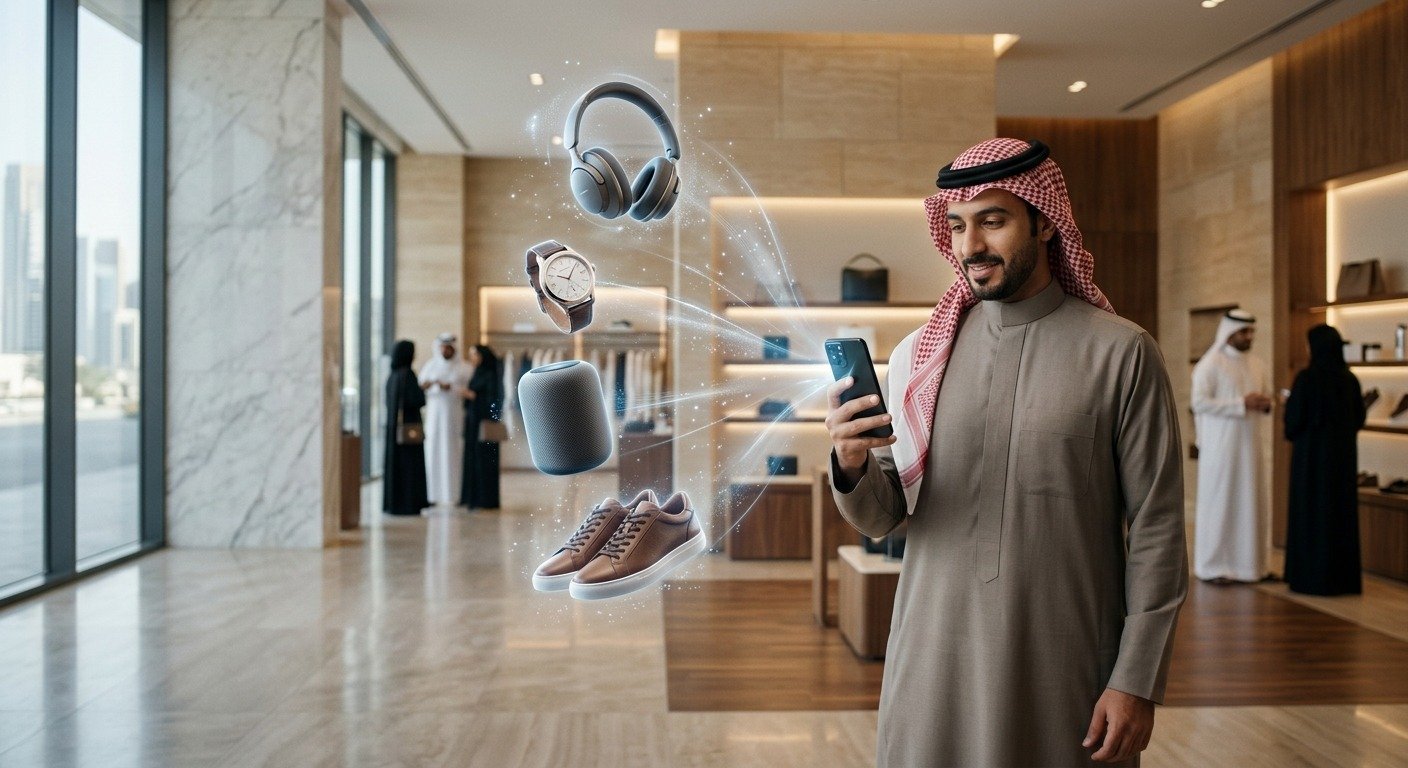
Saudi Arabia’s immersive technology market is on track to hit USD 754.5 million by 2030, growing at 28.6 percent annually, the highest rate anywhere in the Middle East and Africa, according to Grand View Research. Retailers already using AR are cutting return rates by up to 40 percent.
Ask any Saudi retailer why customers send products back and you’ll hear the same answer every time. The product arrived and it didn’t match what the customer pictured. Not defective. Not misdescribed. The abaya’s silhouette looked different from the model’s. The sofa was bigger than the floor plan allowed for. The lipstick shade read differently on their skin than it did on the campaign image.
That’s not a photography problem. Photography is already excellent. The problem is that a photo can only show one person, in one setting, under one lighting condition. Your customer needs to see the product in their own context, on their own body or in their own room, before they commit. That’s what an AR shopping app delivers.
This guide covers how Augmented Reality shopping apps work across different Saudi retail business types, which app type fits which deployment, what the development process looks like, what it costs, and the mistakes to avoid before you build.
Why Saudi Retailers Are Moving Toward AR Shopping Apps Now?
Saudi e-commerce has grown so much in last five years straight. Returns have grown right alongside it, especially in fashion and home categories, and that growth is quietly compressing margins on businesses that look healthy on the top line.
The Real Reason Customers Send Products Back
If a customer buys an abaya and the silhouette turns out wrong, or orders a sofa that doesn’t fit the room, or picks a lipstick shade that reads differently on their skin than it did in the photo, the product itself did nothing wrong. Product imagery just could not answer the question they were actually asking: will this fit me, my space, my complexion? When that question goes unanswered, one of two things happens. The customer abandons the cart before buying, or they buy and return it once reality does not match what they pictured.
What Changes When Customers See the Product Instead of Guessing
An AR shopping app doesn’t add more information to the product page. It changes how your customer evaluates the product in the first place. Instead of reading dimensions and imagining the result, they see it directly. A sofa appears in their actual room, at actual scale. An abaya overlay appears on their body, under their actual lighting. The purchase decision turns into a visual confirmation instead of a guess made under uncertainty.
The Two Numbers That Justify the Investment
Before you build anything, baseline two numbers. First, your return rate in the category you’re targeting. If fashion sits at 24% today and AR try-on brings that down to 17%, you can calculate the savings against logistics, restocking, and customer service cost directly. Second, your product page conversion rate. If it sits at 2.8% today and AR lifts it to 3.5% in the categories where it’s live, you can calculate the revenue impact against your existing traffic volume. Both numbers need a starting point before development begins, or you’ll have no way to prove AR did anything once it’s live.
What Global Adoption Proved About AR in Retail
Zara didn’t launch AR as a separate app or a one-off campaign. They built it into their standard retail app and their physical stores, sitting inside the normal shopping flow, connected directly to add-to-cart. That integration decision, not the technology itself, is why it worked. Customers used it at the exact moment they were deciding, not as a novelty they tried once and forgot.
The lesson carries over directly to your business. AR that stays permanently on your product page, live every time a customer hits that hesitation moment, produces return you can measure month after month. AR you launch for Ramadan and pull down after does not.
AR Shopping App Types and What They Cover
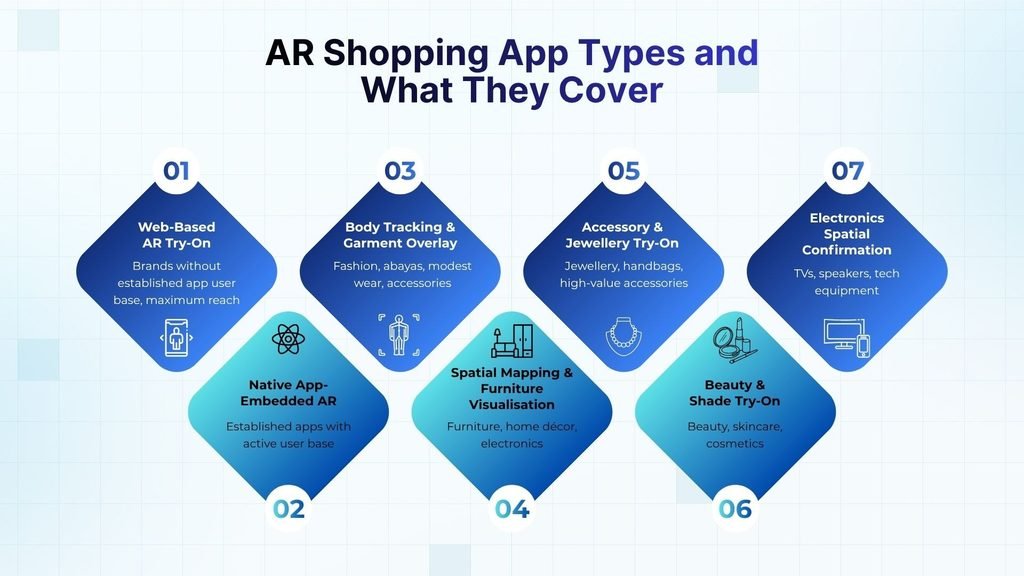
| AR Application | Best Used For |
| Web-Based AR Try-On | Brands without established app user base, maximum reach |
| Native App-Embedded AR | Established apps with active user base |
| Body Tracking & Garment Overlay | Fashion, abayas, modest wear, accessories |
| Spatial Mapping & Furniture Visualisation | Furniture, home décor, electronics |
| Accessory & Jewellery Try-On | Jewellery, handbags, high-value accessories |
| Beauty & Shade Try-On | Beauty, skincare, cosmetics |
| Electronics Spatial Confirmation | TVs, speakers, tech equipment |
Not all AR shopping apps are built the same way. The type you need depends on your product category, your existing app infrastructure, and the specific uncertainty you are trying to resolve for your Saudi customers.
Web-Based AR Try-On
For brands without an established app user base, web AR is the highest-reach starting point. It runs directly in a mobile browser. Your customer taps a button on the product page, the camera opens, and the experience begins. No download required. No App Store friction. Appropriate for Saudi brands that want to reach maximum customers immediately, including those arriving from Instagram, TikTok, and direct browser sessions.
Native App-Embedded AR
For Saudi retailers with an established app and an active user base, embedding AR natively delivers better tracking precision, higher visual fidelity, and direct connection to the checkout flow. The customer tries on a garment or visualises a piece of furniture and adds to cart from inside the AR experience without navigating back to the product page. That direct checkout path is where the conversion impact is strongest.
Body Tracking & Garment Overlay
The AR system tracks the customer’s body position in real time and overlays the garment accurately on their live camera view. Used for fashion, abayas, modest wear, and accessories. The tracking model must be built for the specific garment category, not adapted from a generic template. A modest wear tracking system that was designed for fitted Western clothing will not overlay an abaya correctly.
Spatial Mapping & Furniture Visualisation
The phone camera maps the customer’s physical space and places a dimensionally accurate 3D model of the product into it. Used for furniture, home décor, and electronics. The product appears at its actual scale in the actual room. The customer can confirm whether the sofa fits, whether the proportions work with the existing furniture, and whether the piece looks right in their actual lighting conditions.
Accessory & Jewellery Try-On
Tracks the customer’s wrist, neck, or ear and overlays jewellery and accessories at accurate scale. For Saudi jewellery brands where individual pieces carry significant value, this application closes the commitment uncertainty that prevents high-value purchases on a first visit. The customer sees the necklace on their neckline, the bracelet on their wrist, before they spend SAR 2,000.
Beauty & Shade Try-On
Activates the front camera and applies makeup shades, skincare product simulations, or hair colour overlays to the customer’s live face. The performance depends on accurate skin tone detection across the range of Saudi complexions. Generic beauty AR tools calibrated primarily for lighter skin tones will produce unreliable results for a significant portion of the Saudi customer base.
Electronics Spatial Confirmation
Places electronics at their actual dimensions in the customer’s environment. A television on the actual wall. A speaker system in the actual corner. A gaming setup on the actual desk. This is less about aesthetic confidence and more about spatial certainty, and it resolves the doubt that causes customers to abandon electronics purchases when they cannot confirm the product will physically fit the space. Mobile app development is the broader category most of these AR features get built into, since AR try-on rarely ships as a standalone product outside an existing shopping app.
How Different Saudi Retail Business Types Use AR Shopping Apps
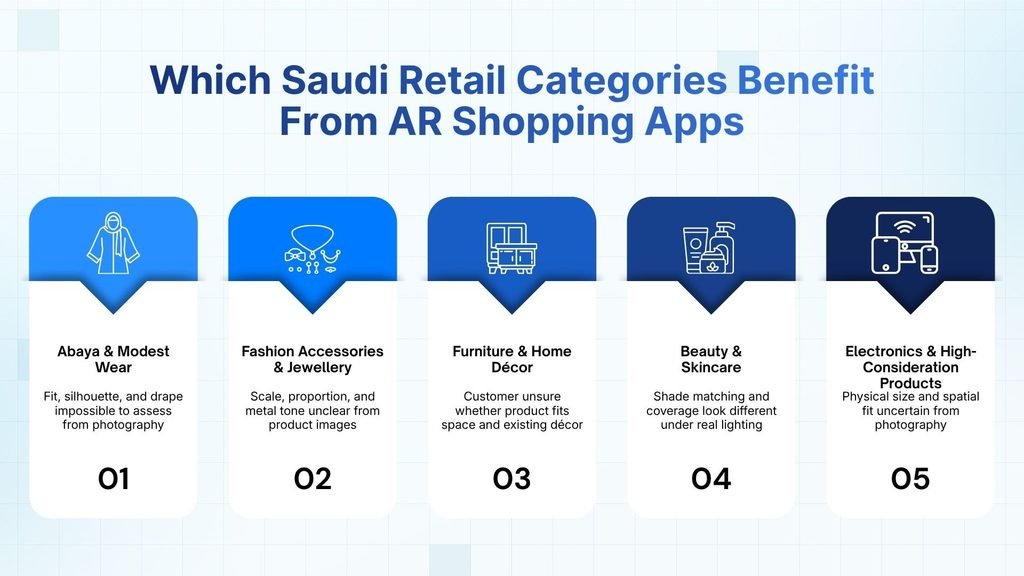
| Retail Category | Core Problem AR Solves |
| Abaya & Modest Wear | Fit, silhouette, and drape impossible to assess from photography |
| Fashion Accessories & Jewellery | Scale, proportion, and metal tone unclear from product images |
| Furniture & Home Décor | Customer unsure whether product fits space and existing décor |
| Beauty & Skincare | Shade matching and coverage look different under real lighting |
| Electronics & High-Consideration Products | Physical size and spatial fit uncertain from photography |
The broad scope of AR shopping app applications means the technology applies across almost every Saudi retail category. The question is not whether AR applies to your business. It is which application type addresses the specific uncertainty your customers face.
Fashion E-commerce
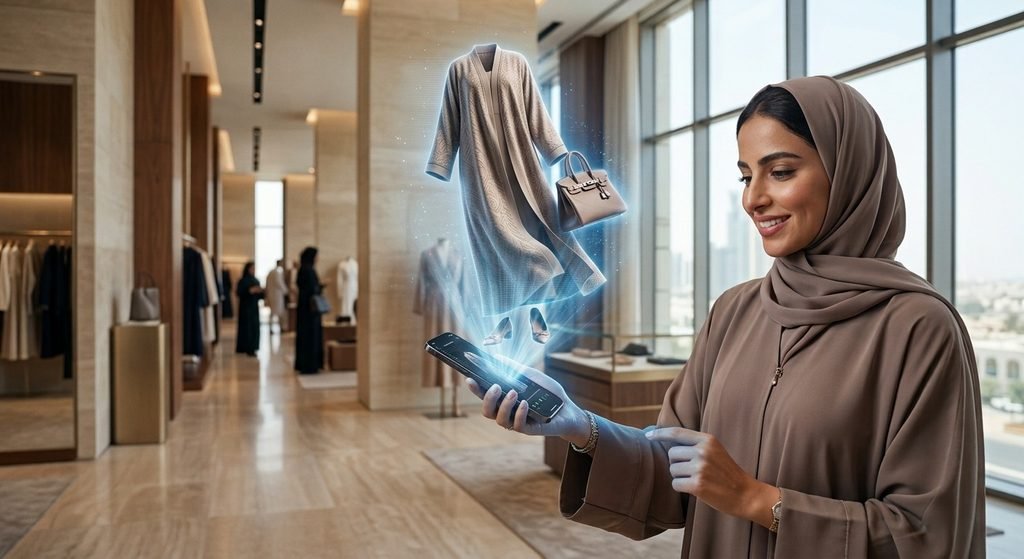
If you sell clothing online, AR solves the one thing a product photo never can: showing how a garment actually falls on a real body, in real lighting, at home. Abaya and modest wear brands, ready-to-wear labels, custom tailoring services, and multi-brand fashion marketplaces are using AR shopping apps to let customers confirm fit and drape before they order, not after a return has already cost you the sale.
What you should build first and what it gets you:
- Start with abaya and modest wear try-on. It carries the largest return-rate impact of any fashion category, so it pays for itself fastest.
- Build the tracking model around how these garments actually move and drape. A tracking system adapted from Western fashion apps will misread the fit every time.
- Add outfit combination previews once single-garment try-on works, so customers can see separate pieces together before checkout.
- Expand your 3D library to everyday wear only after the core drape and fit tracking is validated on your priority category.
Retailers with Online & In-Store Presence
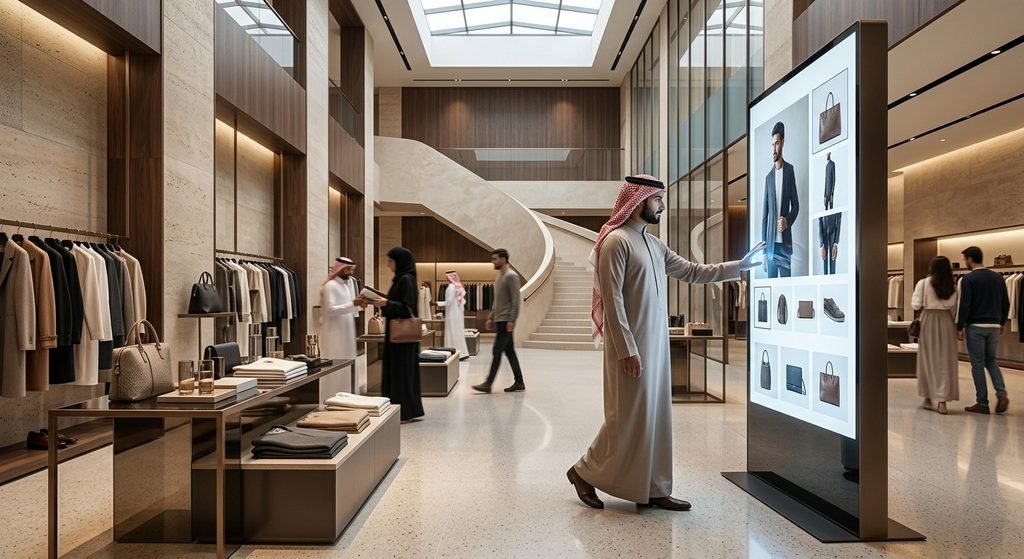
If you run both a store and a website, AR closes the gap between the two instead of forcing customers to pick one. Multi-location retail chains, department stores, mall-based boutiques, and click-and-collect operations are using AR shopping apps to let a customer who browsed in-store confirm sizing at home before ordering online, and to let a customer who found you online arrive at the store already sold.
What to consider before you build:
- Put web-based AR directly on your product pages first. That’s where most of your online-to-store conversion happens.
- If you run a large-format store, add in-app AR navigation to guide customers to specific products. High SKU counts make search friction a real problem, not a minor one.
- Track which channel the AR interaction happens in. You need to know if it’s driving online orders, store visits, or both before you expand it further.
- Don’t build native in-app AR before your web-based version proves itself. Prove the concept on the product page first.
Luxury & Designer Brands
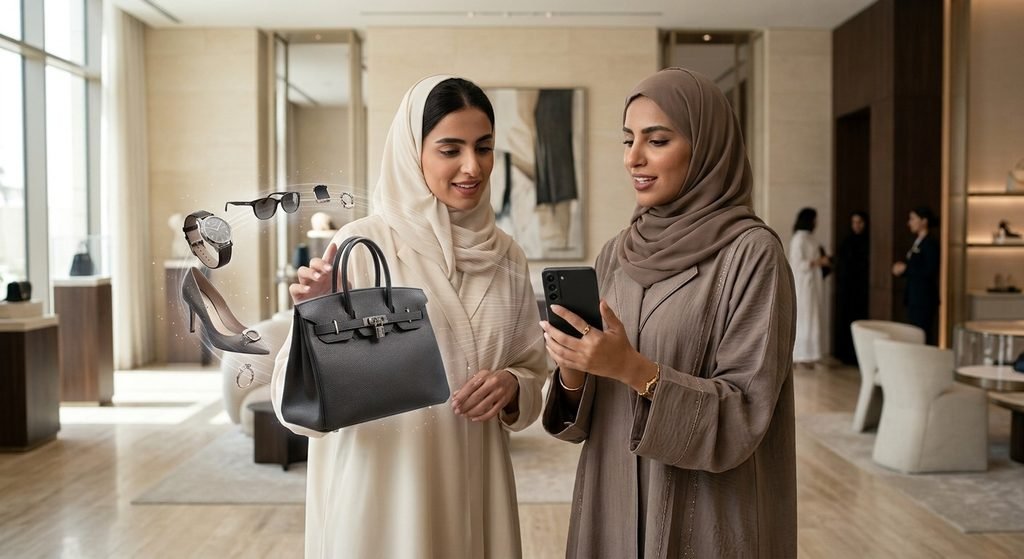
If you sell at a premium price point, a poorly produced AR experience tells the customer the opposite of what your brand promises. Fine jewellery houses, designer abaya ateliers, luxury handbag and accessory brands, and boutique concept stores are using AR shopping apps as a brand signal, not just a try-on tool, and treating production quality as a requirement rather than a nice-to-have.
What you need to get right before launch:
- Get scale and proportion exact for jewellery. A necklace that looks elegant on a product page can look wrong on a specific neckline, and metal tone that reads warm or cool incorrectly kills the sale.
- Invest in high-fidelity material rendering. At this price point, customers notice a flat or plastic-looking render immediately.
- Build a virtual showroom, not just single-item try-on, if you want to reach international buyers who can’t visit Saudi Arabia in person.
- Match the interaction design and presentation to your actual brand tone. A generic AR interface undercuts a luxury product regardless of how accurate the render is.
Furniture & Home Décor
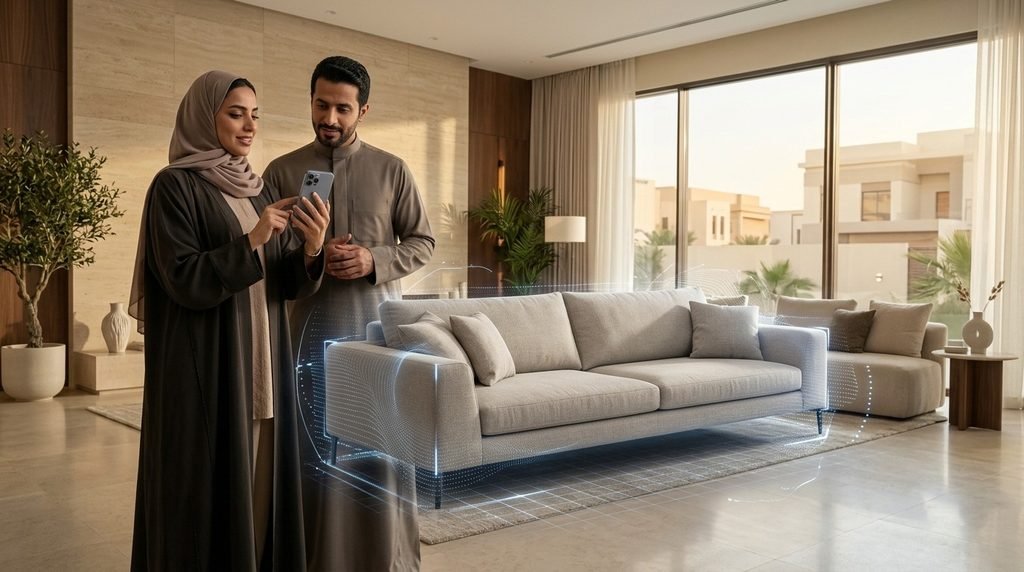
If your product is large or has to work with a space the customer already owns, AR replaces a guess with a confirmation. Furniture retailers, home décor and accessory brands, kitchen and bath fixture companies, and office furnishing suppliers are using AR shopping apps to let a customer place a product in their actual room, at actual scale, before they commit to buying it.
What to prioritize when you build:
- Launch AR on your highest-value and most-returned product lines first. A single sofa AR experience that stops returns is worth more than AR coverage across hundreds of low-value accessories.
- Get scale accuracy right above everything else. The entire value of this application collapses if the size on screen doesn’t match the size in the room.
- Let customers preview color and material against their existing space, not just the product in isolation.
- Hold off on covering your full catalog. Prove the return-rate impact on your top SKUs before you justify building out the rest.
Beauty & Personal Care
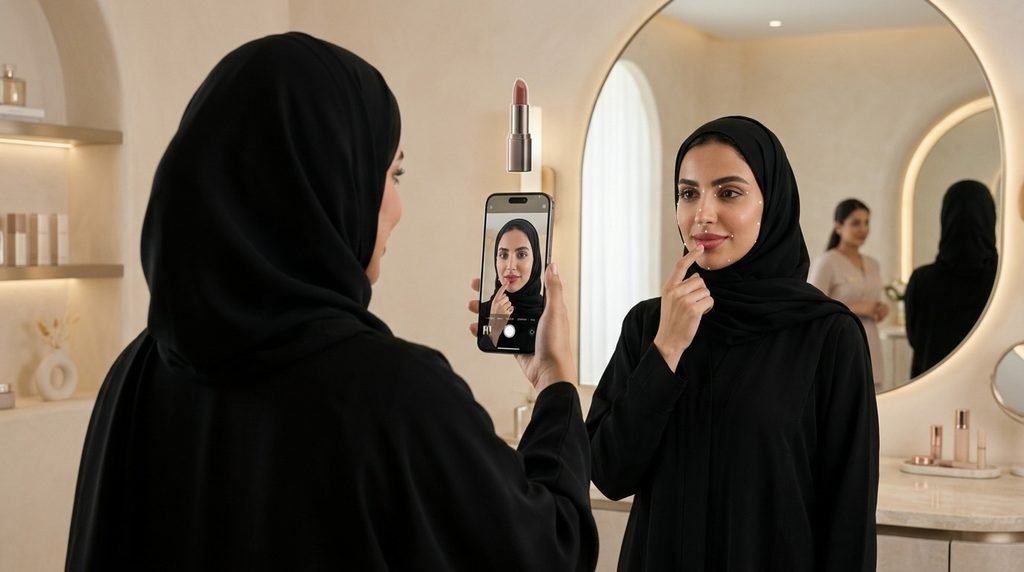
If you sell cosmetics or skincare, AR only works if it works on your actual customer, not a demo model. Cosmetics brands, skincare labels, fragrance houses, and beauty subscription boxes are using AR shopping apps for shade matching, foundation coverage simulation, and eyeshadow visualization, but only the ones that calibrate for the full range of Saudi complexions see the return-rate drop that makes the investment worth it.
What you can’t skip when you build this:
- Test shade matching across the full range of Saudi skin tones before launch. Global beauty AR tools are calibrated mostly for lighter tones, and that makes them unreliable for a large share of your customer base.
- Build foundation coverage simulation to reflect real lighting conditions, not studio lighting. What matches on screen has to match in the customer’s bathroom.
- Add eyeshadow and lip color try-on once shade matching is solid. Don’t launch all three at once and lose the ability to tell which one is driving returns down.
- Measure return rate by shade family after launch. That’s the number that tells you if the calibration actually worked.
Electronics & Technology
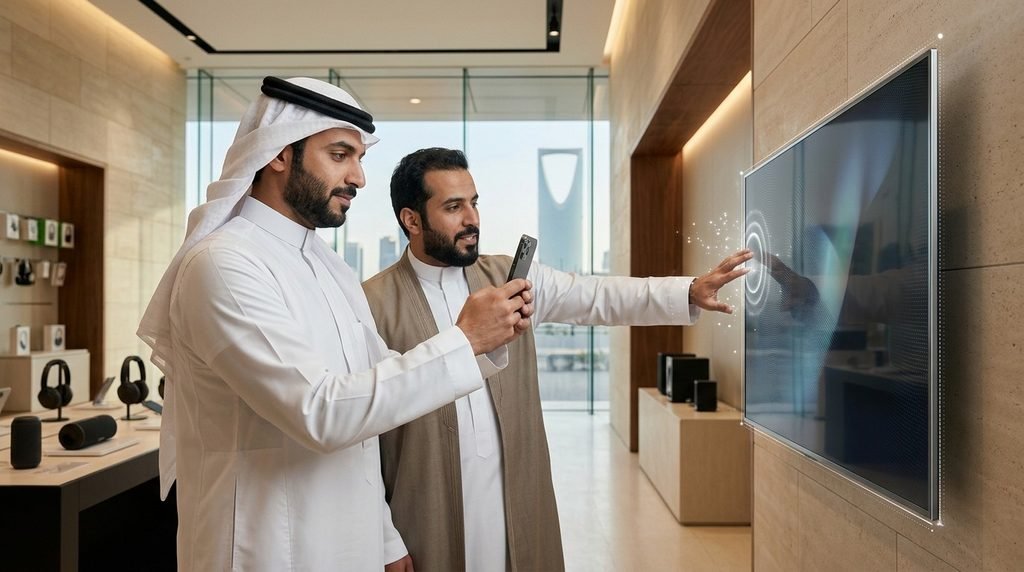
If you sell high-value electronics, the hesitation before purchase almost always comes down to size. Consumer electronics retailers, home appliance stores, gaming and computer hardware sellers, and mobile device retailers are using AR spatial confirmation to show a customer a television at its actual dimensions on their actual wall, or a full gaming setup at its actual scale on their actual desk.
What makes this the easiest AR application to start with:
- Build this first if you’re testing AR at all. It only needs spatial mapping, not body tracking, so the 3D models are simpler and faster to produce accurately.
- Prioritize your highest-consideration, highest-price SKUs. That’s where spatial doubt is costing you the most conversions.
- Test the impact directly against your conversion data. This is the AR application where you’ll see the clearest before-and-after numbers, fastest.
- Don’t wait for a full catalog rollout. A working AR view on your top 10 SKUs will tell you if this is worth scaling before you build anything bigger.
Multi-Category Marketplace Sellers
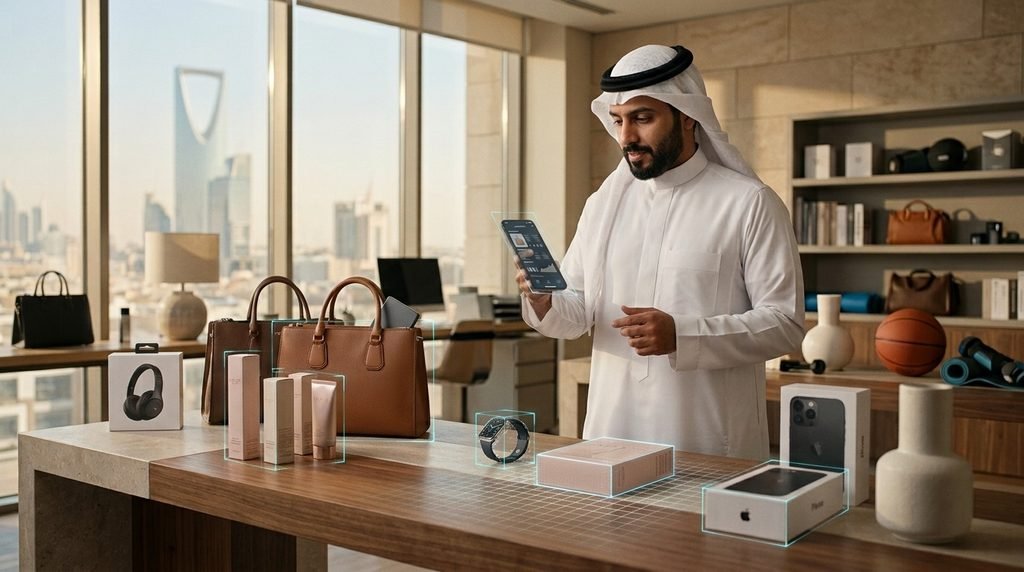
If you sell across multiple product categories, you need one AR architecture that can run several tracking types at once, not separate tools bolted together. Multi-category marketplaces, super-app retail integrations, marketplace aggregators, and cross-border platforms serving Saudi buyers need body tracking for fashion, spatial mapping for home goods, and face tracking for beauty coexisting on the same platform.
What to build in what order:
- Launch one category first and validate the architecture before adding a second. Trying to deploy every tracking type at once delays your launch and buries which application is actually driving results.
- Pick your launch category based on where your return rate is worst, not where AR is easiest to build.
- Build your platform to add tracking types modularly. You’ll need to extend into new categories based on performance data, not a fixed roadmap set before launch.
- Keep performance data segmented by category from day one. Combined data won’t tell you which AR type is worth scaling.
What an AR Shopping App Development Process Actually Looks Like
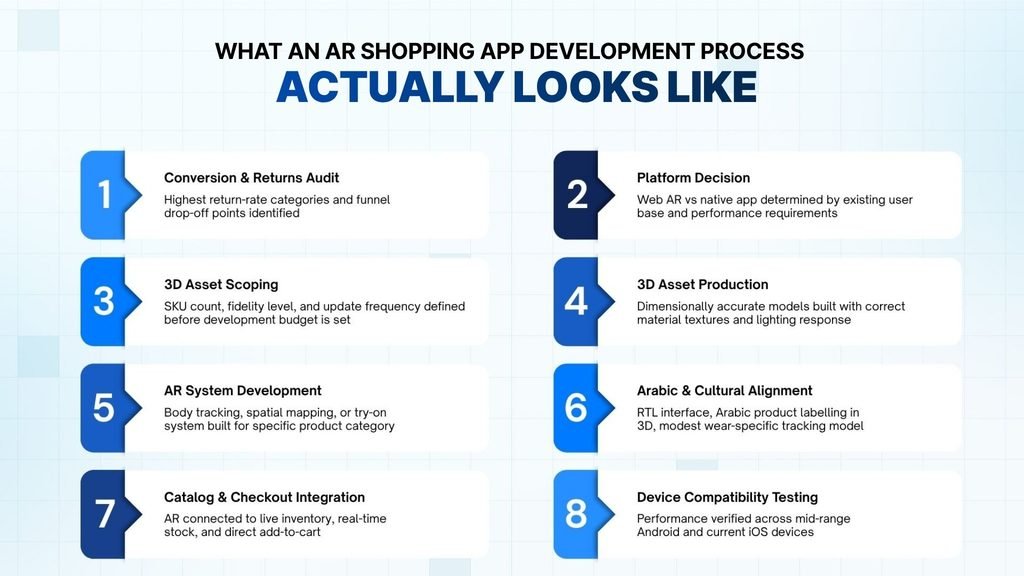
| Stage | What Happens |
| 1. Conversion & Returns Audit | Highest return-rate categories and funnel drop-off points identified |
| 2. Platform Decision | Web AR vs native app determined by existing user base and performance requirements |
| 3. 3D Asset Scoping | SKU count, fidelity level, and update frequency defined before development budget is set |
| 4. 3D Asset Production | Dimensionally accurate models built with correct material textures and lighting response |
| 5. AR System Development | Body tracking, spatial mapping, or try-on system built for specific product category |
| 6. Arabic & Cultural Alignment | RTL interface, Arabic product labelling in 3D, modest wear-specific tracking model |
| 7. Catalog & Checkout Integration | AR connected to live inventory, real-time stock, and direct add-to-cart |
| 8. Device Compatibility Testing | Performance verified across mid-range Android and current iOS devices |
Most Saudi retailers who end up with an AR system that does not work had a development process that skipped the early steps. The technology is not the hard part. The decisions that happen before a single line of code is written are what determine whether the final system produces commercial return.
Step 1: Conversion and Returns Audit
Before anything is scoped, identify the specific categories with the highest return rates and the specific funnel points where Saudi customers are dropping off. These two data sets tell you where AR will produce measurable impact. Building AR for categories where the return and hesitation problem is not the primary issue produces technology without commercial return.
Step 2: Platform Decision
Web AR or native app, determined by your existing user base and the performance requirements of your product category. If you have 50,000 active monthly app users, native is probably the right choice. If your traffic comes primarily from social media links and browser sessions, web AR reaches more of your actual customers without a download barrier.
Step 3: 3D Asset Scoping
Define the SKU count, fidelity level, and update frequency before the development budget is set. This is the step that most AR projects skip and most budget overruns trace back to. If you do not know how many 3D models you need, at what quality level, updated how often, your cost estimate is not reliable. Scope the assets first.
Step 4: 3D Asset Production
Dimensionally accurate models built with correct material textures and realistic lighting response. Every product that appears in your AR experience needs this. Not a photograph. Not a 360-degree spin. A three-dimensional model that behaves correctly in the real environment your customer’s camera is capturing. The production timeline for this step runs in parallel with development.
Step 5: AR System Development
The body tracking, spatial mapping, or try-on system built for the specific product category. Garment overlay for fashion. Spatial mapping for furniture. Face tracking for beauty. The system must be built for your specific product type, not adapted from a general template.
Step 6: Arabic and Cultural Alignment
RTL interface design, Arabic product labelling rendered correctly in 3D space, and for modest wear specifically, a tracking model designed around Saudi modest fashion conventions rather than global fashion templates. This is not a localisation step at the end of the project. It is a design requirement from the first wireframe.
Step 7: Catalog and Checkout Integration
The AR experience must connect to your live inventory, real-time stock data, and add-to-cart function. An AR try-on that ends with the customer needing to navigate back to the product page loses the purchase momentum the AR created. The connection from “this looks right” to “add to cart” must be a single tap.
Step 8: Device Compatibility Testing
Performance verified across mid-range Android devices and current iOS devices. Not on simulators. Not on premium-only hardware. On the actual device range your Saudi customers use. An AR experience that fails silently on mid-range Android devices has excluded a significant proportion of your actual customer base before a single purchase.
If you’re planning an AR shopping app and want to scope it out properly from the start, message us on WhatsApp.
What AR Shopping App Development Costs for Saudi Retailers
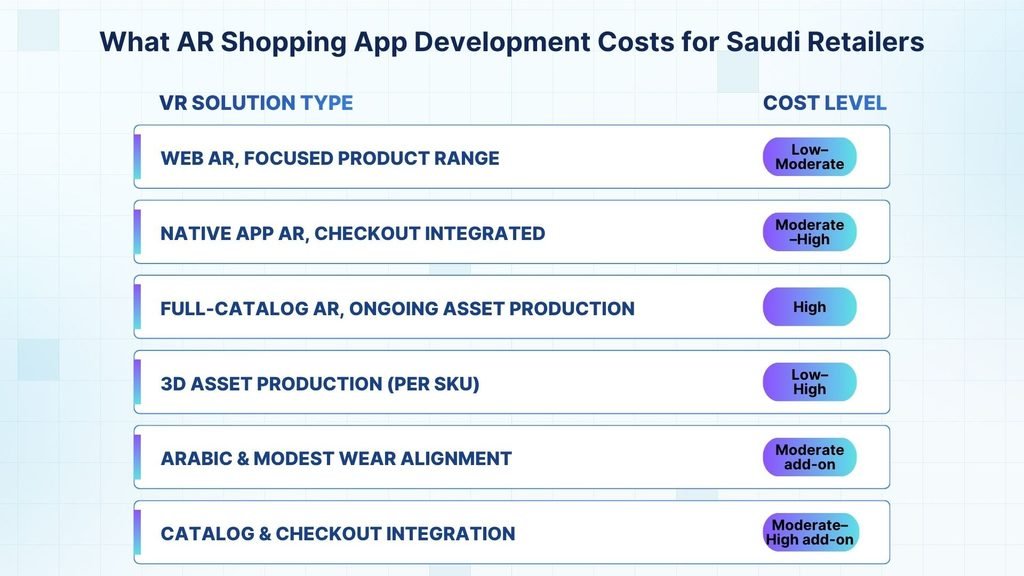
| Scope Tier | Cost Level |
| Web AR, Focused Product Range | Low–Moderate |
| Native App AR, Checkout Integrated | Moderate–High |
| Full-Catalog AR, Ongoing Asset Production | High |
| 3D Asset Production (per SKU) | Low–High |
| Arabic & Modest Wear Alignment | Moderate add-on |
| Catalog & Checkout Integration | Moderate–High add-on |
AR shopping app development cost is driven by the type of deployment, the scale of 3D asset production required, and what integrations the system needs to connect to. These are the six cost components you need to plan for.
Web AR, focused product range — Low to Moderate
The starting point for Saudi retailers validating the commercial case. Browser-based AR covering a defined product selection, built for maximum reach without a download requirement. The 3D asset production is scoped to the initial category, and the development effort is lighter than a native app build. This is where most Saudi retailers should begin, particularly if they do not yet have an established app user base.
Native app AR, checkout integrated — Moderate to High
Building AR natively into an existing Saudi retail app with direct checkout connection. Better tracking performance, higher visual quality, and the direct add-to-cart path that maximises conversion from the try-on moment. The commercial justification is the conversion uplift that native, checkout-integrated AR produces over web AR for retailers with an active app user base.
Full-catalog AR, ongoing asset production — High
Covering a large product catalog with 3D assets maintained as inventory changes. The highest investment tier, typically reached through phased expansion rather than as an initial deployment. The per-channel cost is lower than commissioning separate projects for each category, but the total commitment is significant and should be validated through earlier phases.
3D asset production per SKU — Low to High
This cost varies the most widely of any line item because it scales with complexity. A rigid piece of furniture with simple geometry costs less to model than an abaya with complex drape behaviour and multiple colourways. This is the cost that most AR proposals understate and most budgets discover mid-project. Scope it first.
Arabic and modest wear alignment — Moderate add-on
RTL interface design, Arabic product labelling in 3D, and for Saudi modest fashion specifically, the tracking model redesign that makes garment overlay work correctly for abayas and full-coverage clothing. This is not an optional add-on for Saudi deployments. It is a baseline requirement that should be included in the initial project scope, not added later.
Catalog and checkout integration — Moderate to High add-on
Connecting the AR experience to your live product catalog and checkout flow. The integration complexity depends on your existing e-commerce infrastructure. A simple Salla or Shopify store is more straightforward than a custom ERP-connected platform. But regardless of complexity, this integration is not optional — an AR experience disconnected from checkout is a demonstration, not a conversion tool.
Common AR Shopping App Mistakes Saudi Retailers Make
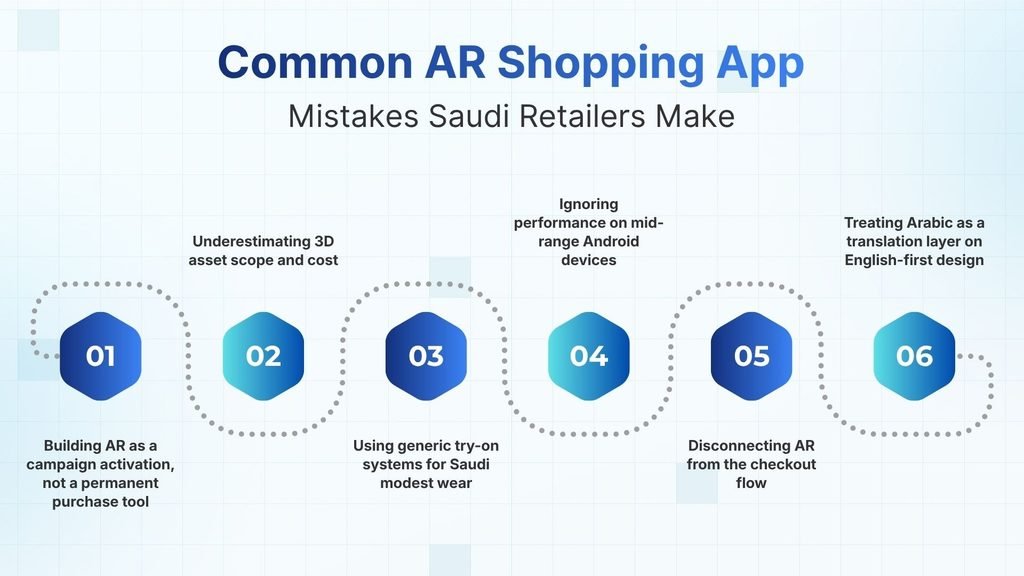
| Mistakes |
| Building AR as a campaign activation, not a permanent purchase tool |
| Underestimating 3D asset scope and cost |
| Using generic try-on systems for Saudi modest wear |
| Ignoring performance on mid-range Android devices |
| Disconnecting AR from the checkout flow |
| Treating Arabic as a translation layer on English-first design |
How Etihad Falcon Tech Builds AR Shopping Apps for Saudi Retail Businesses
Every AR project at Etihad Falcon Tech starts with your conversion and return data, not a technology proposal. Which categories are bleeding returns? Where are customers dropping off in your funnel? That analysis tells us where AR will produce measurable commercial impact for your specific business. If the primary barrier in a category is price or trust rather than uncertainty, we will tell you AR is not the right answer there. The technology solves specific problems, and we identify which ones are yours before anything gets scoped.
3D asset scope before development budget
Most AR cost estimates fall apart because nobody scoped the 3D assets first. We do that before anything else. SKU count, fidelity level, how frequently your inventory changes — that scope determines your actual budget. Everything else is a fraction of that number.
Built for Saudi retail, not adapted from global templates
For abaya and modest fashion brands, we build try-on systems designed around how these garments actually drape and fall. Arabic-first interface design, RTL layout, and Arabic product labelling in 3D are standard in every Saudi deployment we deliver, not add-ons applied at the end.
AR that connects to your checkout, not just your product page
Every AR experience we build connects directly to your live product catalog and checkout flow. Try-on leads to purchase. Visualisation leads to add-to-cart. We do not build AR experiences that perform well in demonstrations and produce no conversion data once they are live.
Frequently Asked Questions
It puts your product in your customer’s actual context before they buy. Clothing on their body. Furniture in their room. Jewellery on their wrist. The result shows up in two places: fewer abandoned carts and fewer returns, because the expectation gap closes before delivery instead of after.
Abaya and modest wear, because fit and drape cannot be assessed from a photo. Furniture and home décor, because customers cannot confirm the product fits the space. Jewellery and accessories, because scale and metal tone are unclear from images. Beauty, because shade matching looks different under real lighting. Electronics, because physical size is hard to judge from standard product images.
Both work. Web AR runs in a mobile browser with no download required, which means it reaches every customer including those coming from Instagram or TikTok links. Native app AR gives you better tracking precision and a direct checkout connection. If you don’t have an established app user base yet, start with web AR.
You don’t need your full catalog. Start with the categories carrying your highest return rates. An abaya brand might launch with fifteen to twenty bestselling styles. A furniture retailer might start with sofas and dining tables. We scope the 3D assets before anything else, because that number drives the budget more than the development itself.
Yes, but only when we build the system specifically for these garments. Generic AR templates designed for fitted Western fashion don’t translate to abaya drape and silhouette. We build the tracking model from the ground up for modest wear, not adapt something that was never designed for it.
A focused web AR deployment covering a defined product category takes eight to twelve weeks when 3D asset production runs in parallel. A native app with checkout integration takes fourteen to twenty weeks. The variable that affects your timeline most is how quickly the 3D asset scope is locked down, not the development itself.
Baseline your return rate and conversion rate in the target categories before launch. After launch, compare both metrics for customers who used AR against those who didn’t. Those two numbers tell you whether the investment is working. Define them before development starts, not after.